The Vyapar app is free to download on Android (Google Play) and iPhone (App Store), and you can start making bills without paying. So why do people buy Silver or Gold? This article explains what changes when you upgrade, using Vyapar’s own description of its plans.
What the paid plans add
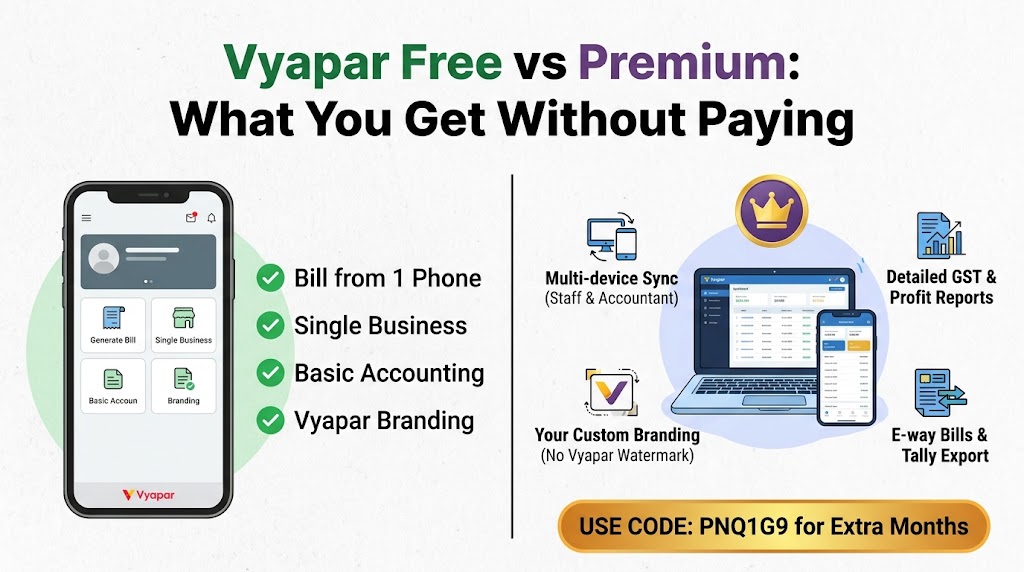
Vyapar’s free vs paid article highlights three things:
- More than one device: use your Vyapar account on more than one device at a time, with data synced between them. This is what lets a shop owner, a staff member and an accountant see the same, up-to-date data.
- Your brand, not Vyapar’s: remove the Vyapar branding from invoices and customer messages, so they show only your business name.
- Extra business tools: detailed GST and profit reports, more than one firm or company, TCS and TDS on invoices, and marketing tools like digital invoice cards and festive templates.
The pricing page lists more plan features, such as generating e-way bills, setting multiple prices for an item and updating items in bulk. Gold adds Tally export and a few more extras.
When the free app is enough
- You bill from one phone only.
- You run a single business.
- You do not mind the Vyapar advertisement on your invoices.
- You do not need e-way bills or detailed GST reports.
When it is worth upgrading
- Someone else (staff or your accountant) needs to see or enter data from another device.
- You want invoices that look fully professional, with no Vyapar advertisement.
- You manage more than one business, or send goods with e-way bills.
- You want to use Vyapar on a computer as well as your phone.
Try the paid features first
On a computer, Vyapar offers a 7-day trial with all features unlocked. Use it to check the reports and multi-device sync before you decide. When you are ready, our guide to Vyapar prices explains the plan choices.
Getting extra months when you upgrade
If you have not created your account yet, enter the referral code PNQ1G9 in the “Invite Code (if any)” box during sign-up. It gives you 3 to 6 months extra when you buy a plan. See our step-by-step guide for where the box is.